
FreeCell
How to Play Triple FreeCell Solitaire
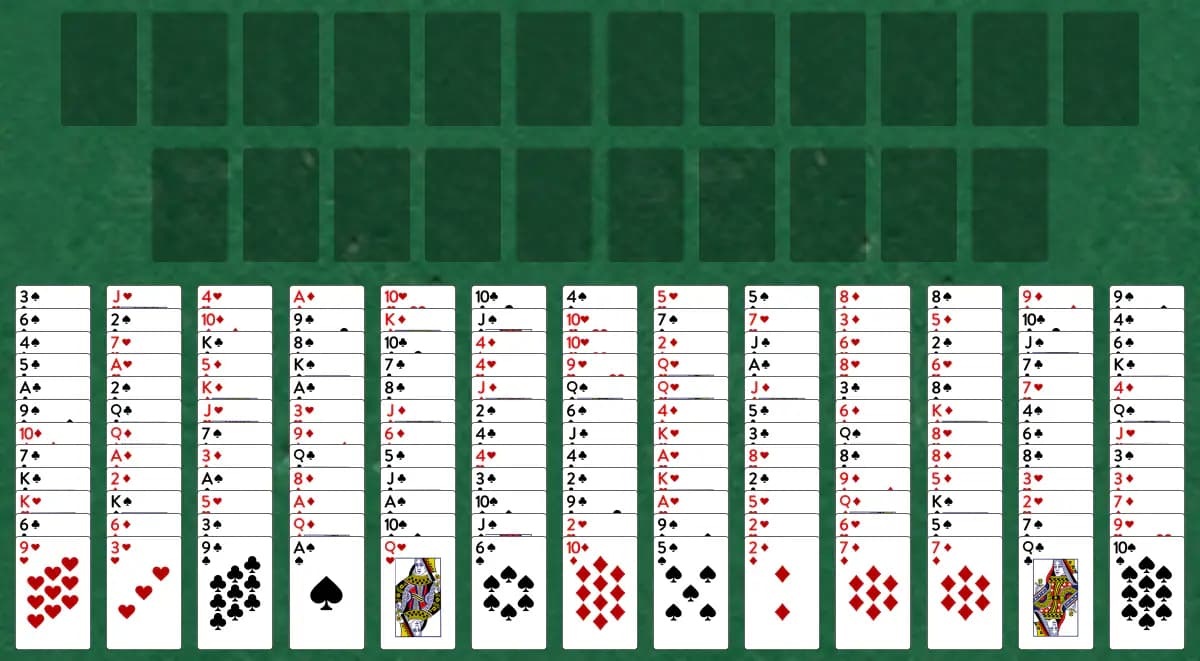
Build all 156 cards to the foundations using temporary holding cells to maneuver around obstacles. Ten free cells give you plenty of temporary storage to work through the deep tableau piles.
Setup
- Twelve foundation piles (three for each suit) start empty
- Ten free cells are available for temporarily holding single cards
- Thirteen tableau piles receive 12 cards each, all face-up
How to play
- Look for Aces to start your foundation piles
- On the tableau, place cards one rank lower in the opposite color (a red 6 on a black 7)
- Move only the top card of a tableau pile, but use the free cells to store cards temporarily
- Play cards to the foundations in suit order, building up from Ace to King; cards move to the foundations automatically once no other card could be built on them
- To free up blocked cards, place them in empty free cells
- Move cards from the cells to the tableau or foundations, or shift a card into a free cell to unblock a pile
How to win
Objective: Move every card to the foundations, building up from Ace in each suit.
You win when all 156 cards are built into the foundations. You're stuck when no cards can move and all free cells are full.
Tips
- Use free cells strategically—don't fill them all at once or you'll limit your future moves
- Move cards to the foundations as soon as possible to free up space
- Try to expose lower cards in the tableau by temporarily storing higher cards in free cells
Play Triple FreeCell free on Windows
CardTray is a free solitaire app for Windows that includes Triple FreeCell alongside 300+ other games. It saves every move as you play, so you can close the window and pick the game up later, replay any deal, and take on a new Daily Challenge deal every day. Browse every game in the Game Gallery.
Related games
More games from the FreeCell family:
- Big FreeCell — Play FreeCell with two full decks spread across ten tableau piles and eight temporary cells, building foundations up by suit.
- Cell Eleven — FreeCell played with three shuffled decks, spread across 12 foundation piles and 11 holding cells instead of the usual four.
- Double FreeCell — This bigger take on FreeCell shares two decks across just four foundations, ten tableau columns, and six free cells.
- FreeCell Duplex — A two-deck version of FreeCell with 104 cards, 12 tableau piles, and 8 temporary cells, designed for players who want a longer, more complex puzzle.
- FreeCell Four Deck — A marathon four-deck FreeCell with 208 cards, 16 foundation piles, 14 tableau columns, and 14 cells—the ultimate FreeCell challenge for devoted puzzle enthusiasts.
The tool for this — Game Gallery
Every game in one library: Klondike, Spider, FreeCell, Pyramid, Golf, Yukon and three hundred more. Each one shows a preview of its opening deal and how often you've played and won it. Learn more about the Game Gallery.
Windows 10/11 (x64) · Free · No account