
FreeCell
How to Play Big FreeCell Solitaire
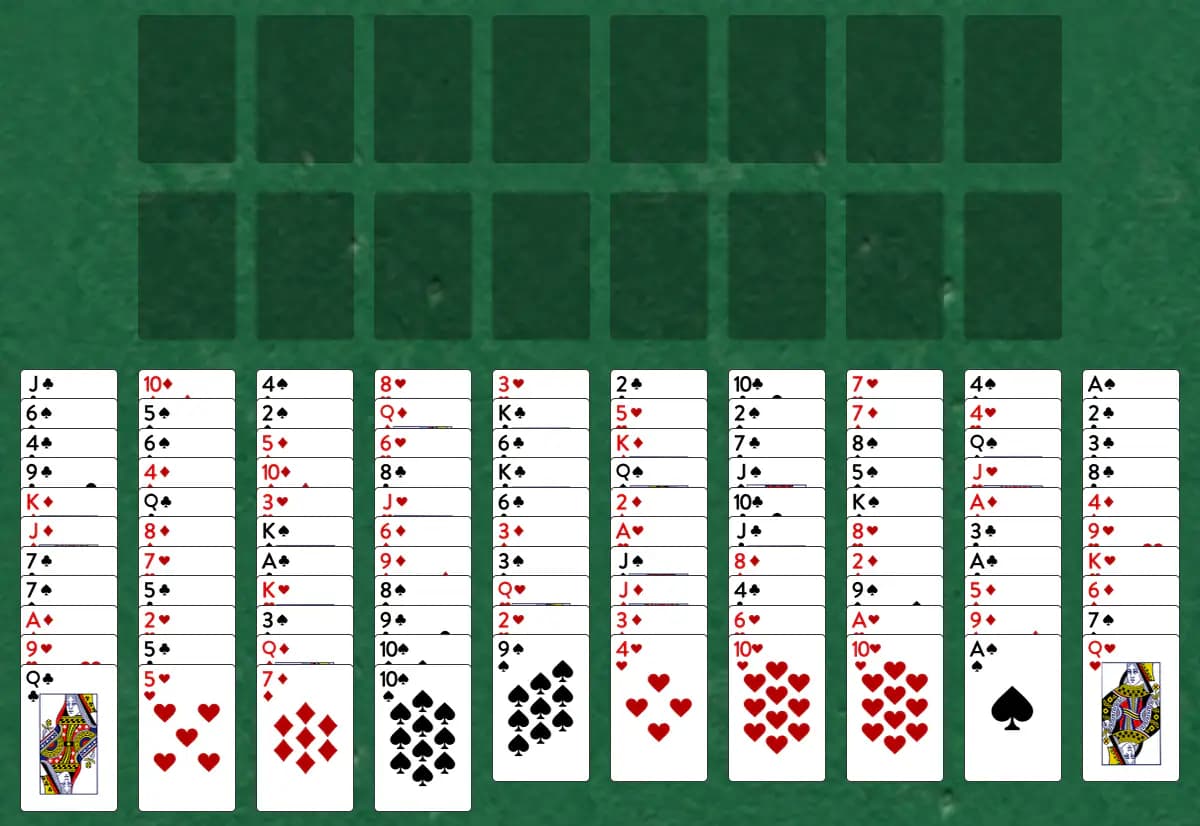
Play FreeCell with two full decks spread across ten tableau piles and eight temporary cells, building foundations up by suit. Plan carefully—only single cards move at a time.
Setup
- Ten tableau piles hold all 104 cards dealt face up
- Eight cells sit to the side, each holding one card temporarily
- Eight foundation piles await suits starting with Aces
- All cards are visible from the start
How to play
- Place cards in empty cells as temporary holding spaces—cells are your main tool for maneuvering
- Build tableau piles downward by opposite color (red on black, black on red); only the top card or a single card may move
- Move tableau cards to cells or other tableau piles following these rules
- Fill an empty tableau pile with any single card or use it as working space
- Use cells strategically to unlock buried cards in the tableau
- There is no stock or waste in this game—every card is in play from the start, in the tableau or cells
- Cards move to the foundations on their own once nothing else could be built on them; you can change this in Settings
How to win
Objective: Move all 104 cards to the eight foundations, building each suit up from Ace to King.
You win when all 104 cards rest on the eight foundations. You're stuck when cards remain but no legal moves unlock them—often because cells are full or no useful tableau moves exist.
Tips
- Cells are your most powerful tool—use them to temporarily park cards that block better sequences
- Avoid filling all eight cells early; always keep at least one empty for maximum flexibility
- Build longer sequences in the tableau before moving cards to foundations to maintain board fluidity
Play Big FreeCell free on Windows
CardTray is a free solitaire app for Windows that includes Big FreeCell alongside 300+ other games. It saves every move as you play, so you can close the window and pick the game up later, replay any deal, and take on a new Daily Challenge deal every day. Browse every game in the Game Gallery.
Related games
More games from the FreeCell family:
- Cell Eleven — FreeCell played with three shuffled decks, spread across 12 foundation piles and 11 holding cells instead of the usual four.
- Double FreeCell — This bigger take on FreeCell shares two decks across just four foundations, ten tableau columns, and six free cells.
- FreeCell Duplex — A two-deck version of FreeCell with 104 cards, 12 tableau piles, and 8 temporary cells, designed for players who want a longer, more complex puzzle.
- FreeCell Four Deck — A marathon four-deck FreeCell with 208 cards, 16 foundation piles, 14 tableau columns, and 14 cells—the ultimate FreeCell challenge for devoted puzzle enthusiasts.
- FreeCell Three Deck — A three-deck FreeCell with 156 cards, 12 foundation piles, 12 tableau columns, and 12 cells, offering a substantial step up in complexity from the standard game.
The tool for this — Game Gallery
Every game in one library: Klondike, Spider, FreeCell, Pyramid, Golf, Yukon and three hundred more. Each one shows a preview of its opening deal and how often you've played and won it. Learn more about the Game Gallery.
Windows 10/11 (x64) · Free · No account