
Pairing
How to Play Friday Solitaire
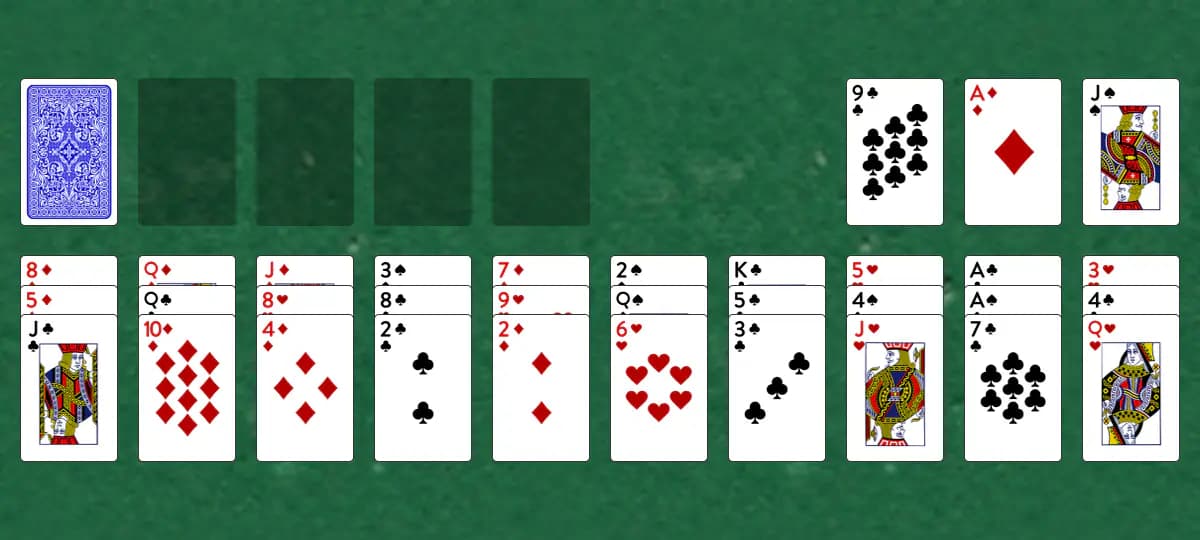
Clear the board by matching cards that add up to 13 or discarding lone Kings, dealt across two differently-sized tableau sections fed by a hidden stock. The goal: Clear every card from the table by removing pairs totaling 13 or single Kings.
Setup
- A left tableau of 3 piles receives 1 card each from the stock
- A right tableau of 10 piles receives 3 cards each, dealt as fixed stacks that are not built on further
- Four foundation piles available for building up by suit from Aces
- When a left tableau pile empties, it's immediately refilled with the top card from the stock; the remaining unused stock cards sit to the side
How to play
- Identify valid pairs: Ace (1) + Queen (12), 2 + Jack (11), 3 + 10, 4 + 9, 5 + 8, 6 + 7, or remove a King by itself
- Click and drag one available card onto its partner to remove both (or drag a King to the discard pile to remove it solo)
- Only the top card from each pile in the left and right tableaus can be moved
- When a left pile empties, it automatically refills with the next stock card, giving you fresh cards to work with until the stock runs out
- You can also build cards onto the foundations in ascending suit order from Ace
How to win
Objective: Clear every card from the table by removing pairs totaling 13 or single Kings.
The game is won when all cards have been removed from the table. You're stuck when no valid pairs or Kings remain on the visible card tops.
Tips
- Prioritize removing Kings when you see them, since they're the easiest cards to discard
- The right tableau never gets new cards, so plan those pairs carefully; the left tableau keeps refreshing from the stock, so lean on it to reveal fresh pairing options
- Plan your pair removals carefully in the right tableau to avoid creating isolated cards
Play Friday free on Windows
CardTray is a free solitaire app for Windows that includes Friday alongside 300+ other games. It saves every move as you play, so you can close the window and pick the game up later, replay any deal, and take on a new Daily Challenge deal every day. Browse every game in the Game Gallery.
Related games
More games from the Pairing family:
- Juvenile — Clear the board by pairing cards that total 14 (Ace=1, numbered cards face value, face cards 11–13).
- Nines — A luck-based pairing game where you discard single Nines or pairs of cards totaling nine, or build cards up onto the foundations.
- Tens Out — A streamlined matching game where you eliminate pairs of cards that total 10 or pairs of face cards (10s, Jacks, Queens, Kings).
- Triple Fourteens — Remove all cards from the board by pairing them to sum 14.
- Double Fourteens — Clear the board by removing pairs of cards that add up to 14.
The tool for this — Game Gallery
Every game in one library: Klondike, Spider, FreeCell, Pyramid, Golf, Yukon and three hundred more. Each one shows a preview of its opening deal and how often you've played and won it. Learn more about the Game Gallery.
Windows 10/11 (x64) · Free · No account