
Foundations
How to Play Busy Aces Solitaire
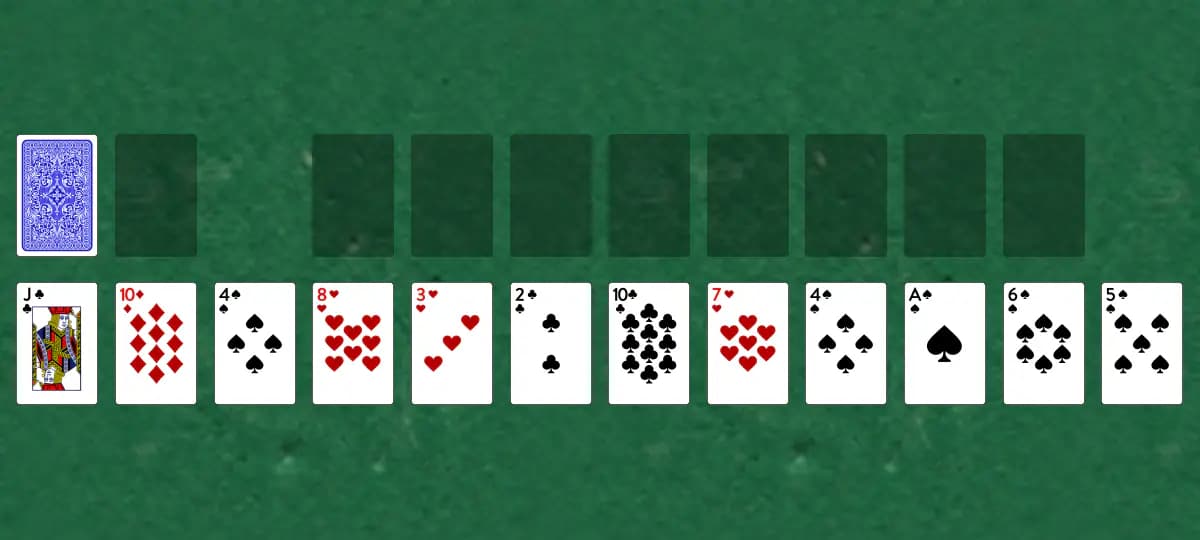
A busy, forgiving two-deck game where you build eight foundation piles upward while managing twelve tableau stacks. The abundance of tableau piles means you'll rarely get stuck.
Setup
- Shuffle two standard decks together
- Deal one card face up to each of 12 tableau piles
- Keep the remaining cards as the stock
- The eight foundation piles start empty; each one begins when you play an Ace onto it
How to play
- Click the stock to reveal cards one at a time to the waste pile. Only the top waste card is playable.
- Build foundation piles upward by rank in the same suit (like A♠ → 2♠ → 3♠, etc.)
- In the tableau, build downward in the same suit (like 7♥ → 6♥ → 5♥). Only the top card of each pile can be moved.
- Move any card to an empty tableau pile to create new play space
- When stuck, keep clicking the stock until you reach the end. There's no redeal.
- Cards automatically move to the foundations once no other card can be built on them in the tableau or waste. You can turn this off in Settings if you prefer to move them manually.
How to win
Objective: Move every card to the eight foundation piles to win
You win when all 104 cards reach the foundations. You're stuck when no legal moves remain and the stock is empty.
Tips
- Create empty tableau piles whenever possible—they give you maximum flexibility
- Work on exposing buried cards in the tableau rather than rushing to build foundations
- Plan ahead to avoid dead-ends where cards get trapped beneath unplayable cards
Play Busy Aces free on Windows
CardTray is a free solitaire app for Windows that includes Busy Aces alongside 300+ other games. It saves every move as you play, so you can close the window and pick the game up later, replay any deal, and take on a new Daily Challenge deal every day. Browse every game in the Game Gallery.
Related games
More games from the Foundations family:
- Carpet — A simple game where you manage 20 exposed reserve piles and try to move all cards to the foundations using a single-pass stock.
- Corner Suite — This single-deck game starts with nine empty tableau piles instead of dealt cards, giving you an open board to build on as you draw cards from the stock.
- Deuces — Build up matching suit sequences on eight foundation piles from Twos to Aces in this accessible two-deck game.
- Dimes — Start your foundations at Ten instead of the traditional Ace in this two-deck variant.
- Fly — A two-deck variant where the eight Aces are dealt directly to the foundations at the start, and a 13-card reserve pile feeds the tableau.
The tool for this — Game Gallery
Every game in one library: Klondike, Spider, FreeCell, Pyramid, Golf, Yukon and three hundred more. Each one shows a preview of its opening deal and how often you've played and won it. Learn more about the Game Gallery.
Windows 10/11 (x64) · Free · No account