
FreeCell
How to Play Two Cell Solitaire
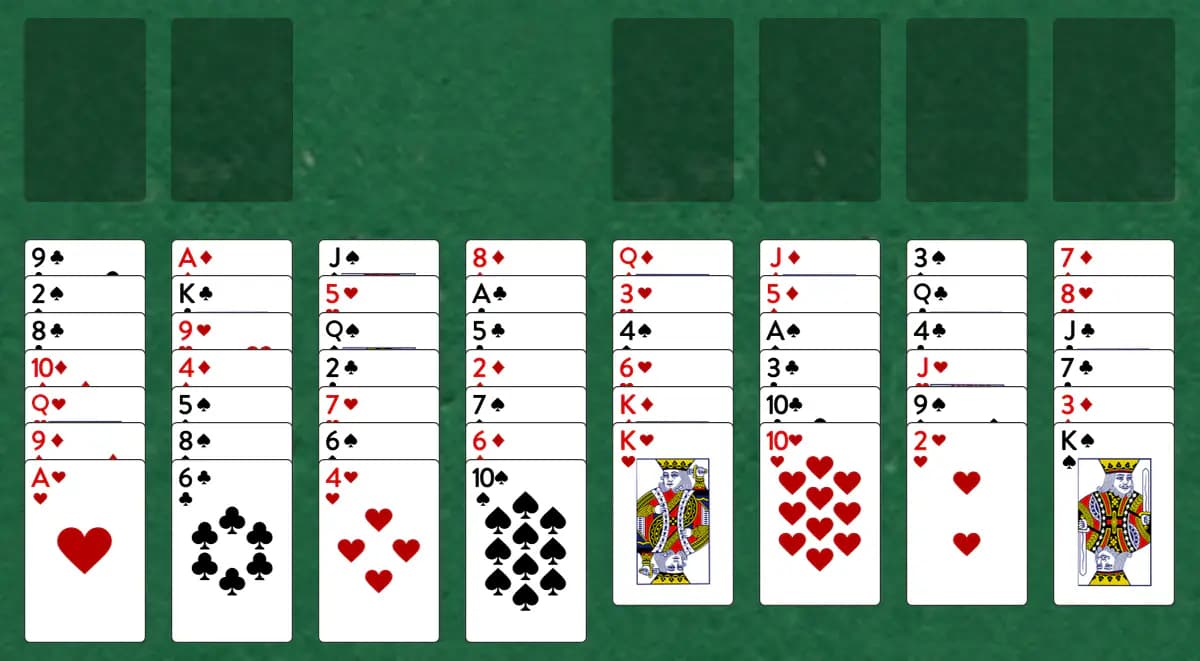
Two Cell trims the usual FreeCell layout down to just two free cells, so you'll lean on smart tableau sequencing more than spare storage to get every card home. The goal: Move all cards to the foundations in ascending order by suit
Setup
- Use a single 52-card deck
- Deal all cards across 8 tableau piles (some piles have 7 cards, others have 6)
- All cards are face-up
- Set up 4 foundation piles (one per suit)
- Create 2 temporary storage cells
How to play
- Build foundations from Ace up to King in the same suit
- On the tableau, place a card one rank lower and opposite color on another card
- Only the top card of each tableau pile can be moved
- Use cells to temporarily store cards—each cell holds one card
- Any card can be placed in an empty cell or empty tableau pile
- Move cards from cells or tableau to foundations and other piles as allowed
- When a card cannot be built on anything, it moves to the foundation automatically
How to win
Objective: Move all cards to the foundations in ascending order by suit
You win when all cards are in the foundations. The game ends when no more moves are available.
Tips
- Your two cells are limited—use them only when necessary to unblock cards
- Plan multi-step moves before committing a cell
- Focus on exposing cards needed for foundation building
Play Two Cell free on Windows
CardTray is a free solitaire app for Windows that includes Two Cell alongside 300+ other games. It saves every move as you play, so you can close the window and pick the game up later, replay any deal, and take on a new Daily Challenge deal every day. Browse every game in the Game Gallery.
Related games
More games from the FreeCell family:
- Bastion — A strategic solitaire with FreeCell-like cells and a unique tableau where cards build both up and down within the same suit.
- Private Lane — A Streets and Alleys game with two extra cells for temporary storage.
- ThreeCell — A streamlined version of FreeCell using just three temporary cells instead of four.
The tool for this — Game Gallery
Every game in one library: Klondike, Spider, FreeCell, Pyramid, Golf, Yukon and three hundred more. Each one shows a preview of its opening deal and how often you've played and won it. Learn more about the Game Gallery.
Windows 10/11 (x64) · Free · No account